Pastry shops Sign in
Free lesson · Bonus AI photo course

How to photograph desserts with your phone: light

A beautiful dessert photo starts with light, not with a camera. In this lesson you learn where to place the dessert, which lamp to switch off and how one piece of card softens the shadows.
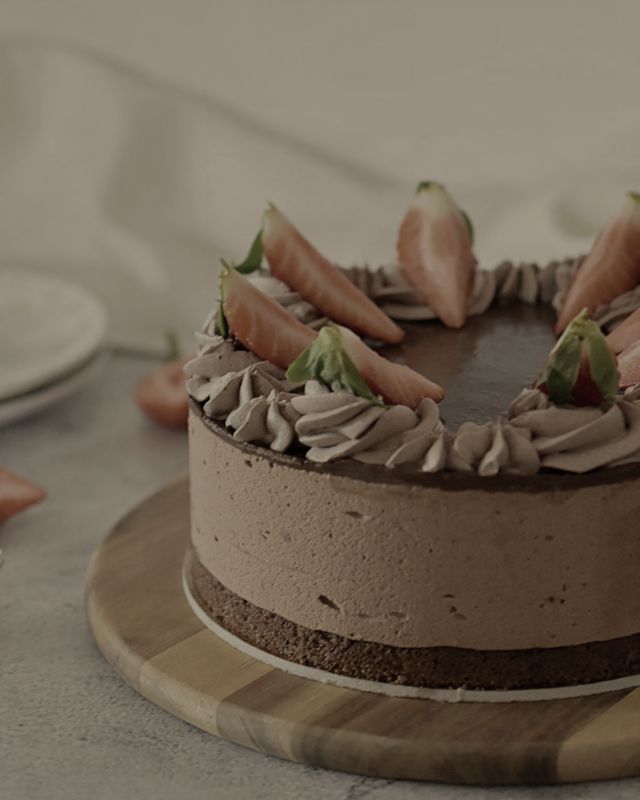
Before: Light
Before
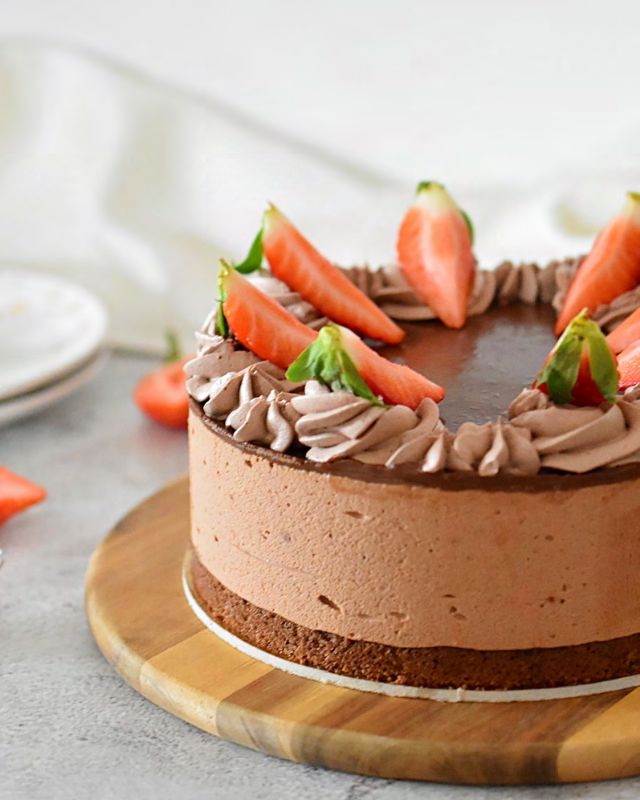
After: Light
After

The same BAM cake: on the left under a yellow ceiling light, on the right by a window in soft side light.

Setting up by the window

  1. Window: light falls from the side or slightly from behind.
  2. The dessert stands near the window, not in direct sun.
  3. Reflector: white card or a plate lights up the dark side.

Steps

  1. Place the dessert by a window so light falls from the side or slightly from behind.
  2. Switch off the ceiling light. Yellow lamp light mixed with daylight gives muddy colours.
  3. If the shadow on the other side is too dark, put a white card or plate there as a reflector.
  4. In strong sun, cover the window with a thin white curtain or baking paper.

Check before you shoot

  • No flash
  • No mixed light
  • The shadow is soft, not black

Try the AI photo tip on your own photo

With a free account you open this lesson in the app and AI looks at your photo: it tells you what already works and what to fix.

Start for free

What the whole course teaches

The other five lessons are in the app with Academy and PRO. Each has BAM before-and-after examples and an AI photo tip.

  1. Lesson 1 · Free lessonLightLight does most of the work. The most beautiful is soft daylight falling on the dessert from the side.
  2. Lesson 2Angle and framingEvery dessert has its best angle. Choose it by what is most beautiful about the dessert.
  3. Lesson 3Background and propsThe background should support the dessert, not compete with it. Less is almost always more.
  4. Lesson 4The cut and detailsA cut shows what is inside: layers, cream and filling. It is what people love to see most.
  5. Lesson 5Your phoneYou do not need a camera for beautiful photos. A phone does a lot if you use it right.
  6. Lesson 6Editing and postingGood editing fixes a photo, it does not change it. The dessert must stay as it is.

Frequently asked questions

Do I need a camera?

No. Every lesson is made for a phone. Light, angle and a calm background matter more than gear.

What does the AI photo tip do?

You upload a photo of your dessert and AI tells you, by the rule of the lesson, what already works and one concrete fix for the next photo. We do not keep the photo.

Is the course free?

The first lesson is free for everyone with a free account. The other five lessons are a bonus in the Academy and PRO plans.

Start for free

A free account: the trailer and first lesson of every course, no card needed.